The only email agent built for the AI era

InboxPilot learns from every conversation, improving every reply automatically so every email is crafted for each of your contacts.

No credit card needed

Gmail icon featuring a stylized M made of red, blue, yellow, green, and orange colors.Microsoft Outlook icon with an envelope and a blue square containing a white letter O.
Ai drafts & replies

Replies written before you open the email

InboxPilot drafts responses in your tone using your company data, and gets smarter with every interaction. Review and send in one click, or let it run your inbox on autopilot 24/7.

Drafts tailored to each contact's history
Learns from every correction you make
Optional auto-send mode for 24/7 responses
Per-inbox reply settings and instructions
Email Actions

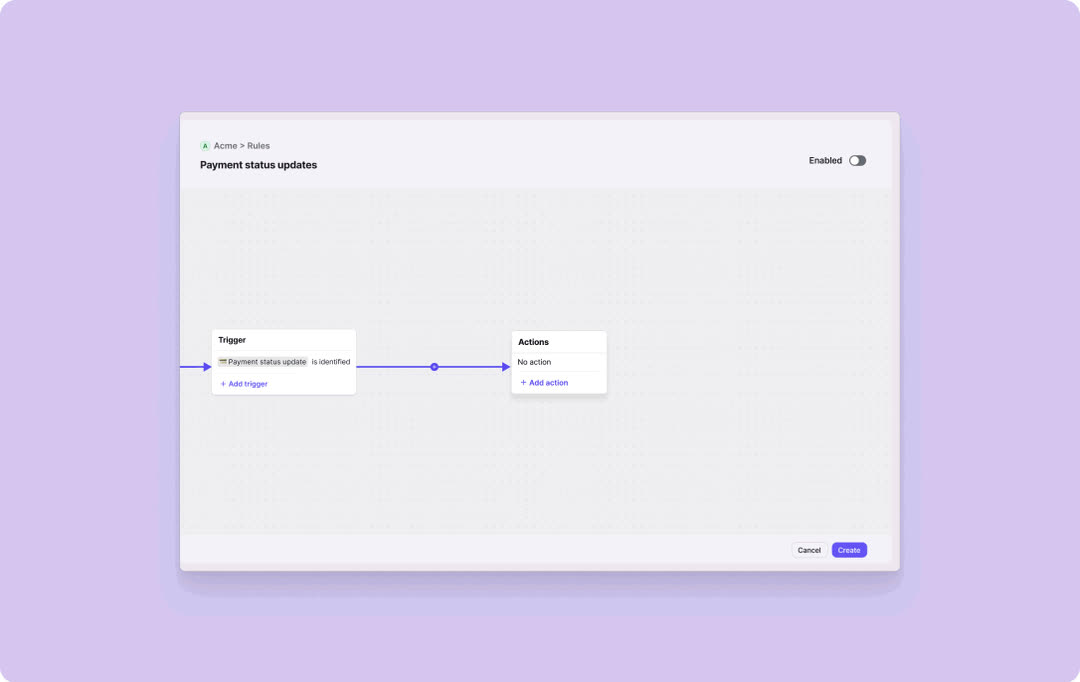
Set rules once, never sort again

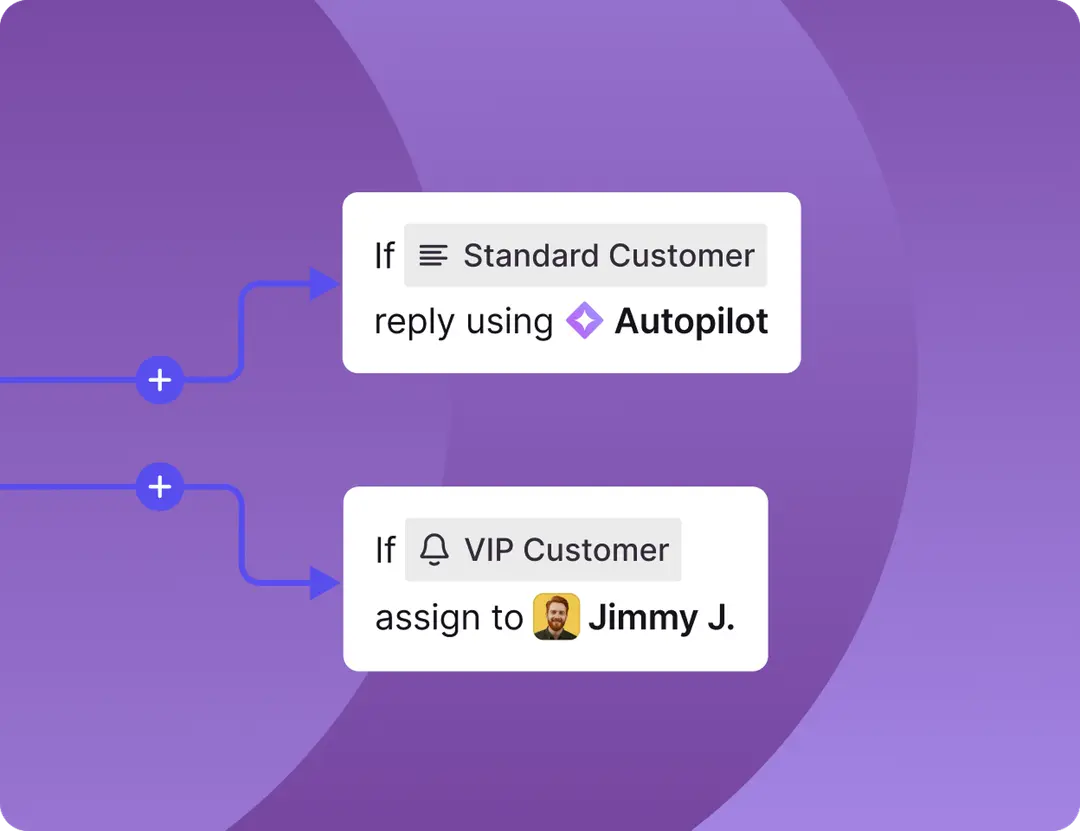
Tell InboxPilot what to do with any type of email – it handles the routing, forwarding, and filing automatically, every time.

Auto-forward to the right person or team
Archive, trash, or star automatically
AI rules that understand intent, not just keywords
Works across all connected inboxes
AI Labeling & sorting

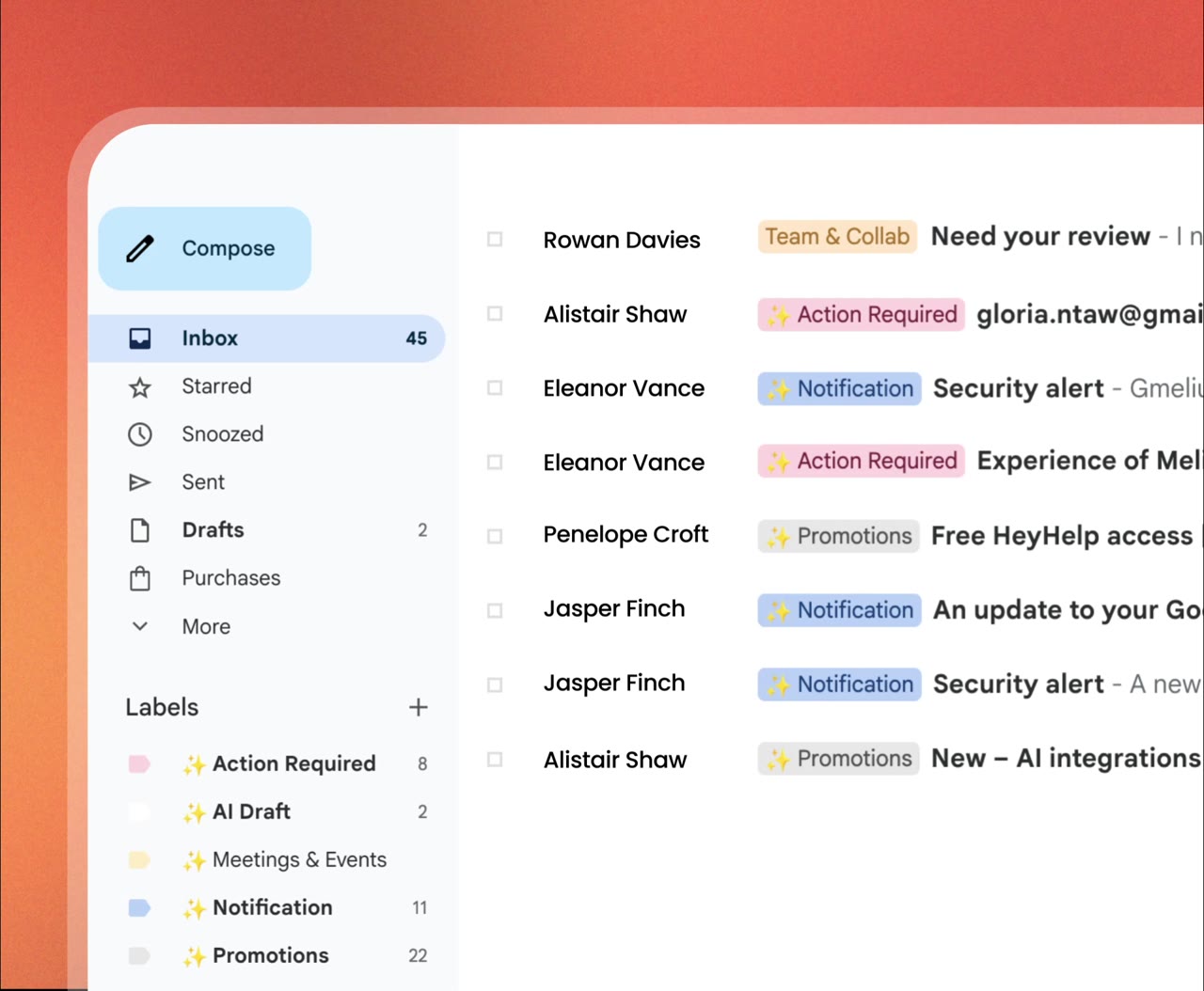
Your inbox, instantly organized

InboxPilot reads every email the moment it arrives and moves it to the right place – no rules to write, no filters to maintain.

Labels applied in real time
Emails sorted into the right folder automatically
Uss custom labels or creates it for you
Works across Gmail and Outlook
Email thread showing Jessica Martinez asking about the updated timeline for the Q2 report, with an AI-generated draft reply assuring the report will be ready by end of day tomorrow.
Automation Rules interface showing four active email rules: Invoice forwarded to accounting@company.com if containing 'invoice' or 'payment due'; Promotional emails moved to trash and automatically deleted if labeled 'promotion' or 'marketing'; Newsletter emails archived and skipped from inbox for known senders; VIP Contact emails starred and send push notifications for CEO, investors, or key clients.
Inbox showing four messages labeled Invoice, Urgent, Newsletter, and Follow-up from Acme Corp, Sarah Chen, TechWeekly, and Marcus Thompson with timestamps 2m, 5m, 12m, and 18m ago.
How to start

No code setup in minutes

1
Interface showing import of a knowledge base with three uploaded files: Product_FAQs.pdf, Email_Templates.docx, and Company_Guidelines.pdf, each with file sizes and a status indicating AI is learning from the data.
2
Email connection setup interface showing options to connect Gmail with Google marked as connected and Outlook with Microsoft not connected.
3
User interface showing options to customize AI behavior with AI role choices: Sales rep selected, Support agent, Executive assistant; and response tone choices: Friendly selected, Professional, Casual.
White check mark icon on a black circular background.
Dashboard showing automated email responses with 12 drafts ready and 47 auto-sent this week, listing three message subjects with draft and auto-reply statuses.
Pricing

Cheaper than humans

Free

$0

Try for 7 days

Best for quick experiments and a one week test.

Start Free
Included:
Sorts and labels every email
Train with your custom data
15 drafts per month
1 inbox
1 team member
50 email actions per month
Limited inbox scanning
Hobby

$24

Per month / billed annually

Best for for personal email automation or solo projects.

Go Hobby
Everything in FREE, plus:
Writes replies in your voice
200 drafts per month
2 inboxes
Unlimited team members
1,000 email actions per month
Basic attachment processing
Standard

$119

Per month / billed annually

Best for growing teams, production workloads.

Go Standard
Everything in hobby, plus:
1,200 drafts per month
Unlimited inboxes
Unlimited team members
10,000 email actions per month
Advanced attachment processing
Intensive inbox scanning
Remove InboxPilot branding
Pro

$319

Per month / billed annually

Best for large organizations and enterprises.

Go Pro
Everything in Standard, plus:
12,000 drafts per month
100,000 email actions per month
Priority support
Free

$0

Try for 7 days

Best for quick experiments and a one week test.

Included:
Sorts and labels every email
Train with your custom data
15 drafts per month
1 inbox
1 team member
50 email actions per month
Limited inbox scanning
Hobby

$29

Per month / billed monthly

Best for for personal email automation or solo projects.

Go Hobby
Everything in FREE, plus:
Writes replies in your voice
200 drafts per month
2 inboxes
Unlimited team members
1,000 email actions per month
Basic attachment processing
Standard

$149

Per month / billed monthly

Best for growing teams, production workloads.

Go Standard
Everything in hobby, plus:
1,200 drafts per month
Unlimited inboxes
Unlimited team members
10,000 email actions per month
Advanced attachment processing
Intensive inbox scanning
Remove InboxPilot branding
Pro

$399

Per month / billed monthly

Best for large organizations and enterprises.

Go Pro
Everything in Standard, plus:
12,000 drafts per month
100,000 email actions per month
Priority support
Trusted by businesses worldwide
SECURITY & PRIVACY

Enterprise-grade security

Five security compliance badges including HIPAA Compliant, Tier 2 CASA Verified, ISO 27001 Certified, AICPA SOC, and GDPR with a lock and stars circle.
Testimonials

Loved by people who hate messy inboxes

"As a law firm, we receive hundreds of client inquiries daily. InboxPilot has automated the majority of our initial responses while maintaining our professional tone. Our clients genuinely can't tell the difference."

M. Chen
Managing Partner, Law Firm

"We've reduced response time from 4 hours to under 15 minutes. The team now focuses on complex issues instead of repetitive ones, and the AI nails our brand voice every time."

S. Patel
Customer Success Manager

"We're a small team with limited resources. InboxPilot lets us offer 24/7 support without extra hires. It's quietly become one of our most important tools."

L. Hoffman
Co-founder, SaaS Startup

"I was spending hours every week on student emails. InboxPilot handles routine course questions automatically now, giving me real time back for research and teaching."

Dr. M. Santos
University Professor

"We were losing leads just from slow response times. Every inquiry now gets an immediate, professional reply and our conversion rate has improved significantly."

R. Wallace
Real Estate Agency Owner

"Our customer satisfaction scores have improved noticeably since we started using InboxPilot. It handles complex technical questions better than we expected."

A. Rivera
Head of Support

"We were drowning in product questions. InboxPilot now handles most customer emails instantly, and our team finally has time to focus on growth instead of the inbox."

J. Martinez
E-commerce Founder

"The email labeling feature alone has saved me hours every day. Urgent requests get flagged immediately and I never miss an important client email anymore."

D. Thompson
Independent Consultant

Questions?

We’re glad you asked.

What exactly does InboxPilot do?

InboxPilot is an AI email agent that connects to your Gmail or Outlook inbox and handles email on your behalf: labeling every incoming email automatically, drafting replies in your tone using your company's data, sending responses automatically if you choose, and running routing rules that forward, archive, or file emails based on what they are. It also includes a website chatbot that captures leads and routes them into the same dashboard.

How reliable are InboxPilot's email responses?

In auto-reply mode, every response has a confidence score. If it falls below our threshold, the email is escalated to you or your team instead of being sent. In draft mode, the threshold is lower so you can review more suggestions before sending. You stay in control.

Does InboxPilot have access to my whole email account?

InboxPilot connects to your Gmail or Outlook via OAuth and reads incoming emails to generate labels, drafts, and actions. No human reads your emails. Data is encrypted in transit and at rest. We don't store your email content beyond what's needed to generate a response, and we never share it.

Can I change my subscription plan later?

Anytime. Upgrades happen instantly; downgrades take effect at the next billing cycle.
Your data and settings stay intact no matter the tier.

How does handover to a human work?

Most emails can be handled by the AI. When a question is unclear, sensitive, or beyond what the AI can answer confidently, the system escalates it so a human can take over. The handover happens inside your existing tool – Gmail or Zendesk – and your team picks up from there.

Is my data used to train AI models?

No. Your data is never used to train external or public AI models. Each customer's data is isolated and used only to power their own InboxPilot account.

Does InboxPilot get smarter over time?

Yes. When you edit an AI draft — correcting a fact or adjusting phrasing — InboxPilot automatically learns from the change and applies it to future replies. Every correction makes the AI more accurate for your specific business.

You have been doing it manually for too long

Connect your Gmail or Outlook inbox in one click, train InboxPilot on your business data, and start receiving replies that sound exactly like you – ready to send or sent automatically.

“My favorite subscription by far. Fresh supply of templates and ready-to-use sections that save us hours on every project. Absolute no-brainer.”
Jeremy Olley
Small Agency
best deal
Save with BYQ Supply Ultra
BYQ Supply Ultra is our premium subscription that gives you access to our templates and 1800+ copy/paste sections library for half the price.
Webflow Marketplace
1 template for $129
With byq ultra
3 templates for $46 each + 1800 sections
3 template credits every quarter
Full access to 1800+ copy paste sections library
All new templates added during your subscription
With code CRAFTED20 only $46/month for the first quarter.
Cancel anytime.
Get Nerdstack with ULTRA