AI Email agent

AI that handles your inbox end to end

How to start

1. Train your agent

Upload your FAQs, policies, email templates, and website content. InboxPilot learns your business and uses it to draft replies that sound like you – not like a generic AI.

Interface for importing knowledge base files including PDF, DOCX, TXT, CSV formats with four uploaded files named Product_FAQs.pdf, Email_Templates.docx, Company_Guidelines.pdf, and Support_Scripts.txt, showing AI is learning from the data.
Email connection interface showing Gmail connected with user email john@company.com and option to connect Outlook, indicating secure OAuth connection.

2. Connect your inbox

One-click setup with Gmail or Outlook. No configuration, no IT team needed. You're up and running in under a minute.

3. Customize AI behavior

Tell InboxPilot how to respond - pick a role, set the tone, and add custom instructions. It acts as your sales rep, support agent, or executive assistant, in your voice.

Interface for customizing AI behavior with options for AI Role (Sales Rep selected), Response Tone (Friendly selected), and a custom instruction box describing sales guidelines, plus a Save Configuration button.
Inbox automation rules showing four active filters for Invoice, Promotional, Newsletter, and VIP Contact emails.

4. Create your rules

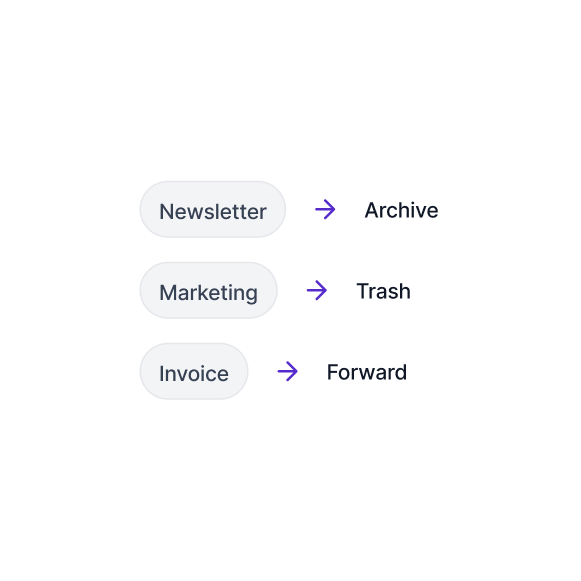
Tell InboxPilot how to handle each type of email: forward invoices to finance, trash marketing emails, auto-respond to support requests. Set it once, it runs forever.

5. Set AI labeling & Sorting

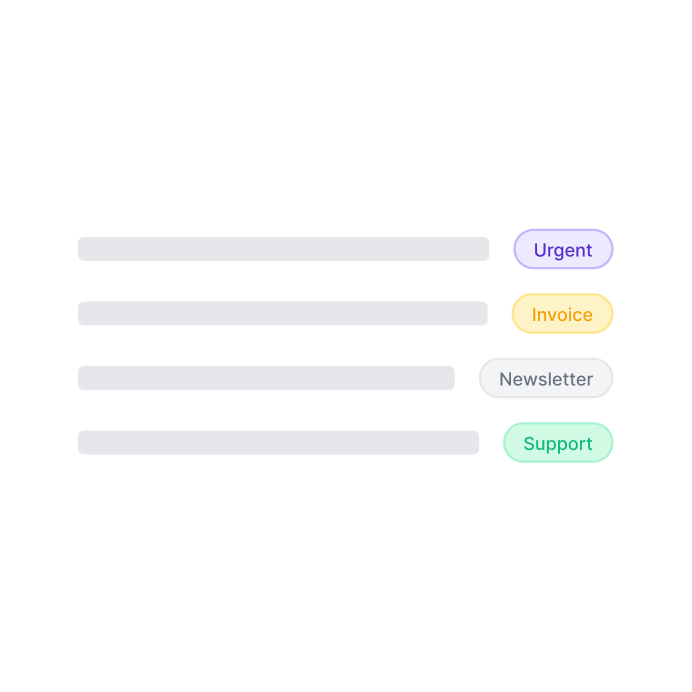
InboxPilot reads every email the moment it arrives, applies smart labels automatically, and moves each one into the right folder in Gmail or Outlook, so your inbox is always organized before you open it.

Inbox showing labeled messages: urgent Q4 report, invoice payment, tech newsletter, and follow-up demo meeting.
Dashboard showing automated email responses with 12 drafts ready to send and 47 auto-sent this week, plus recent activity of drafts and auto-replies.

You're live!

Your inbox is now on autopilot. InboxPilot is drafting replies, sorting emails, and learning as it goes. Every edit you make to a draft gets remembered as a fact visible in your knowledge base, applied to every future reply. And because it tracks your contacts, each response is tailored to that specific person and the history you have with them.

Label every email, draft every reply, and run every rule – automatically, around the clock, without you.

PERFORMANCE METRICS

Proof that automation actually scales

92%
reduction in time spent in an inbox
87%
of emails handled by your email agent
Pricing

Flat pricing. No surprises.

Hobby

$24

Per month / billed annually

Best for for personal email automation or solo projects.

Go Hobby
Everything in FREE, plus:
Writes replies in your voice
200 drafts per month
2 inboxes
Unlimited team members
1,000 email actions per month
Basic attachment processing
Standard

$119

Per month / billed annually

Best for growing teams, production workloads.

Go Standard
Everything in hobby, plus:
1,200 drafts per month
Unlimited inboxes
Unlimited team members
10,000 email actions per month
Advanced attachment processing
Intensive inbox scanning
Remove InboxPilot branding
Pro

$319

Per month / billed annually

Best for large organizations and enterprises.

Go Pro
Everything in Standard, plus:
12,000 drafts per month
100,000 email actions per month
Priority support
Free

$0

Try for 7 days

Best for quick experiments and a one week test.

Start Free
Included:
Sorts and labels every email
Train with your custom data
15 drafts per month
1 inbox
1 team member
50 email actions per month
Limited inbox scanning
Hobby

$29

Per month / billed monthly

Best for for personal email automation or solo projects.

Go Hobby
Everything in FREE, plus:
Writes replies in your voice
200 drafts per month
2 inboxes
Unlimited team members
1,000 email actions per month
Basic attachment processing
Standard

$149

Per month / billed monthly

Best for growing teams, production workloads.

Go Standard
Everything in hobby, plus:
1,200 drafts per month
Unlimited inboxes
Unlimited team members
10,000 email actions per month
Advanced attachment processing
Intensive inbox scanning
Remove InboxPilot branding
Pro

$399

Per month / billed monthly

Best for large organizations and enterprises.

Go Pro
Everything in Standard, plus:
12,000 drafts per month
100,000 email actions per month
Priority support

Questions?

We’re glad you asked.

What exactly does InboxPilot do?

InboxPilot is an AI email agent that automates triage, labeling, and draft generation for Gmail and Outlook. It acts as an autonomous co-pilot to execute natural language workflows, draft brand-aligned replies, and filter out workspace noise.

VS

InboxPilot is an AI email automation tool
for teams that need to do more than just reply faster. It connects to your inbox and automatically drafts responses, routes emails, updates your CRM, creates tickets, notifies teammates, and organizes your inbox — all triggered by incoming emails. It works with Gmail and Outlook and integrates with Salesforce, HubSpot, Zendesk, Slack, Notion, Shopify, and more.

Draft Mode
Drops contextual, brand-aligned replies directly into your email thread for manual review. Human Review Required
Auto-Send
Automates background replies instantly for low-stakes, routine message categories you define. 100% Autonomous AI
Workflows
Runs plain-English commands like "forward invoices to accounting" or "trash cold sales pitches." Inbox Hygiene & Ops
Can I test my AI email workflows safely before activating them live?

Yes, InboxPilot includes an isolated Playground testing environment built into the platform dashboard. This sandbox lets you paste sample emails, mock scenarios, and preview exactly how the AI will tag, route, or reply to a thread without altering real messages or sending accidental live responses to customers.

How does InboxPilot use custom documentation and email templates to reply?

InboxPilot pulls directly from your uploaded FAQs, internal policy sheets, and historical threads stored inside your Knowledge Center. Additionally, it features snippet retention: you write an email template once for a repetitive question, and the AI accurately deploys that contextual framing whenever it detects matching user intent.

Does the email automation tool learn from manual edits and human feedback?

Yes, InboxPilot features a continuous machine learning feedback loop powered by direct human interactions. Every time a teammate gives a draft a thumbs up/down or writes a brief adjustment note, the system immediately tracks the variance to refine its underlying logic and improve future reply accuracy.

Can InboxPilot automate workflows across multiple shared team inboxes?

InboxPilot is built natively for multi-user collaboration and shared spaces including sales, operations, support, and recruiting teams. It unifies high-volume inboxes under centralized, plain-English business rules, ensuring that distinct departments remain entirely aligned with your corporate guidelines and brand guidelines.

Can I save and reuse traditional email templates for recurring questions?

Yes! InboxPilot memorizes your custom email templates and automatically deploys them when it detects matching user intent.

- Dynamic Variables: Automatically inserts names, dates, or order numbers instead of raw copy-pasting.

- Hybrid AI Generation: Blends the reliability of standard email macros with conversational AI to fit the exact context.

Does InboxPilot get smarter over time?

Yes. When you edit an AI draft — correcting a fact or adjusting phrasing — InboxPilot automatically learns from the change and applies it to future replies. Every correction makes the AI more accurate for your specific business.

You have been doing it manually for too long

Connect your Gmail or Outlook inbox in one click, train InboxPilot on your business data, and start receiving replies that sound exactly like you – ready to send or sent automatically.


No credit card required. Setup in 2 minutes.